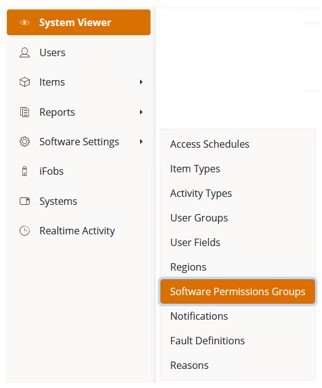
Select ‘Software Settings>Software Permissions Groups’ from
the Navigation Menu.
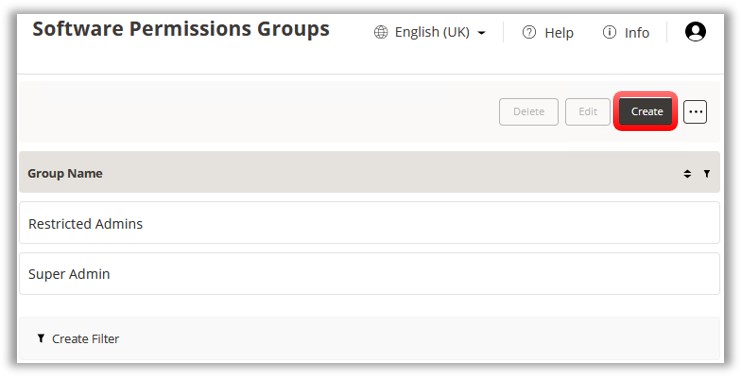
Either edit an existing group you wish to give permissions to
by selecting the group and clicking ‘Edit’, or alternatively create
a new group by clicking the Create
button.
NOTE:
An option for allocating Fault Logging software permissions might
be to create 2 groups; one called ‘Fault Admin’ for users who can
create/edit/delete Fault Definitions, and another called ‘Fault Repairer’
for users who can create/edit and repair/clear faults.
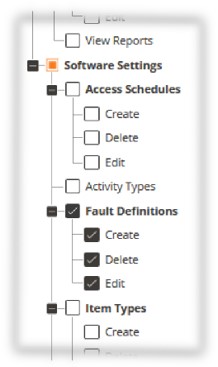
The permissions for the ability to create/edit/delete Fault
Definitions can be found by expanding Web/Pages/Software Settings/Fault
Definitions.
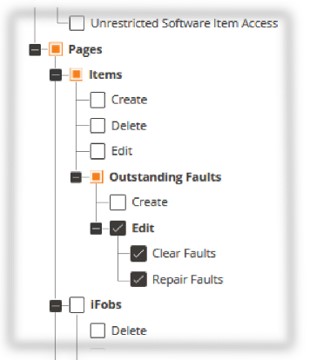
The permissions for the ability to create/edit and repair/clear
faults can be found by expanding Web/Pages/Outstanding Faults.
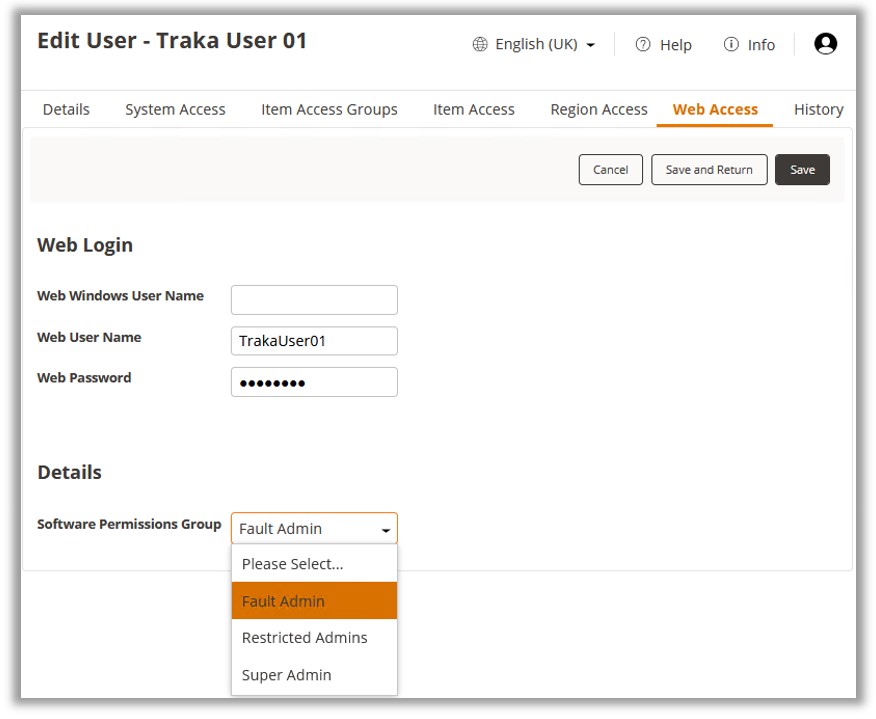
To assign users to the Software Permissions Groups select Users from the Navigation Toolbar.
Select the desired user and click Edit.
Select the Web Access tab
and select the required group from the Software Permissions Group
dropdown box. Click ‘Save’ from the Ribbon Toolbar.