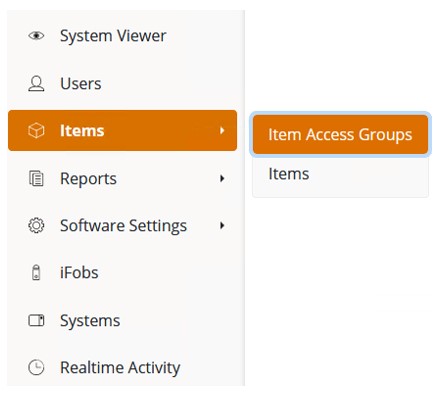
From
the Navigation Menu, select Items, and then Item Access
Groups.
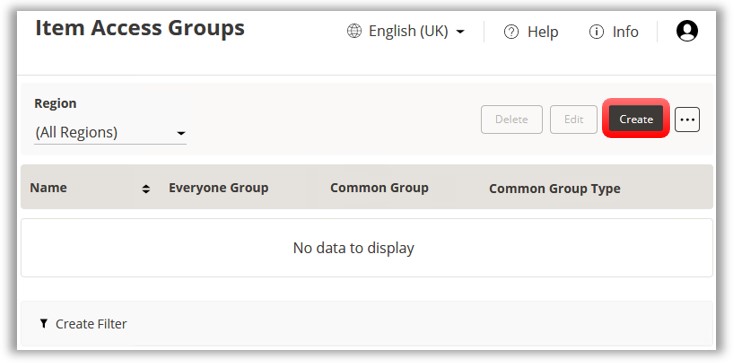
At
the Item Access Groups
page, click on the Create
button.
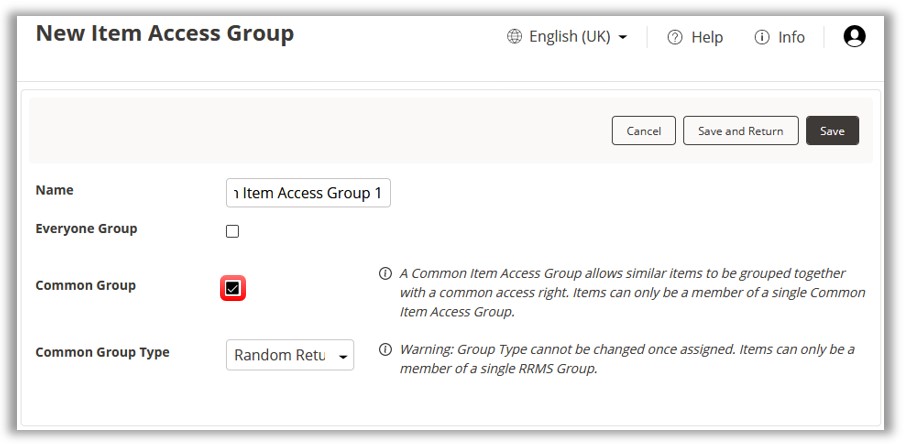
At the next screen enter a name for the New Item Access Group in the blank field and then click on Save.
To create a common Item Access Group, place a tick in the Common
Group checkbox. If all the systems defined in TrakaWEB have RRMS enabled,
the Common Group option will be ticked by default.
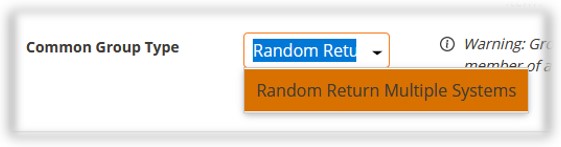
Make
sure that the selected Common Group Type is Random Return to
Multiple Systems.
Click on the Save button.
Next,
click on the Region tab.
Regions control the visibility of the Common Item Access Group in the
same way as a standard Item Access Group.
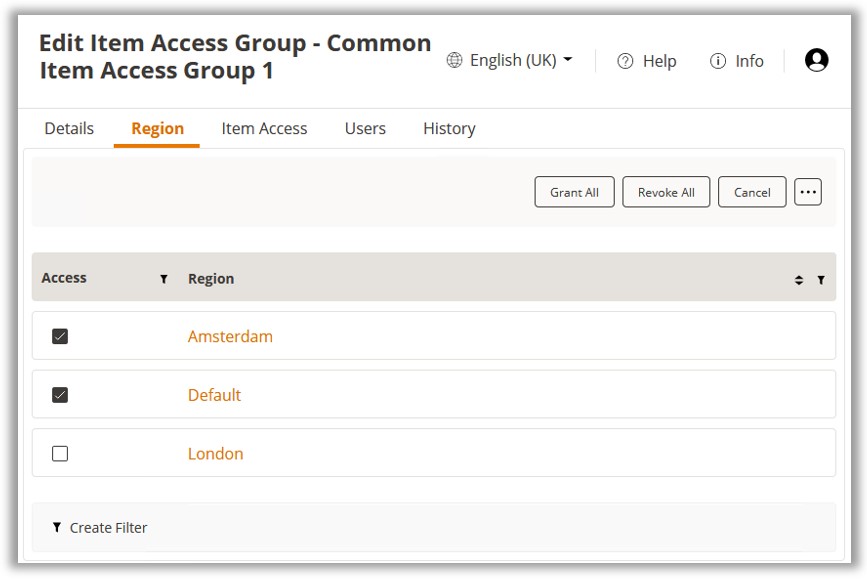
The Region will also determine which systems the associated Items of
the common Item Access Group can be returned to. For more information
on Regions, refer to the Regions section in this document.
NOTE:
If an Item is returned to
a RRMS system that is outside the scope of the Common Item Access
Group's regions, the Item can be returned but will no longer be accessible
to standard users. In this case, only an Admin User can remove it.
Choose the regions where
your Common Item Access Group will be active and click on
Save.